
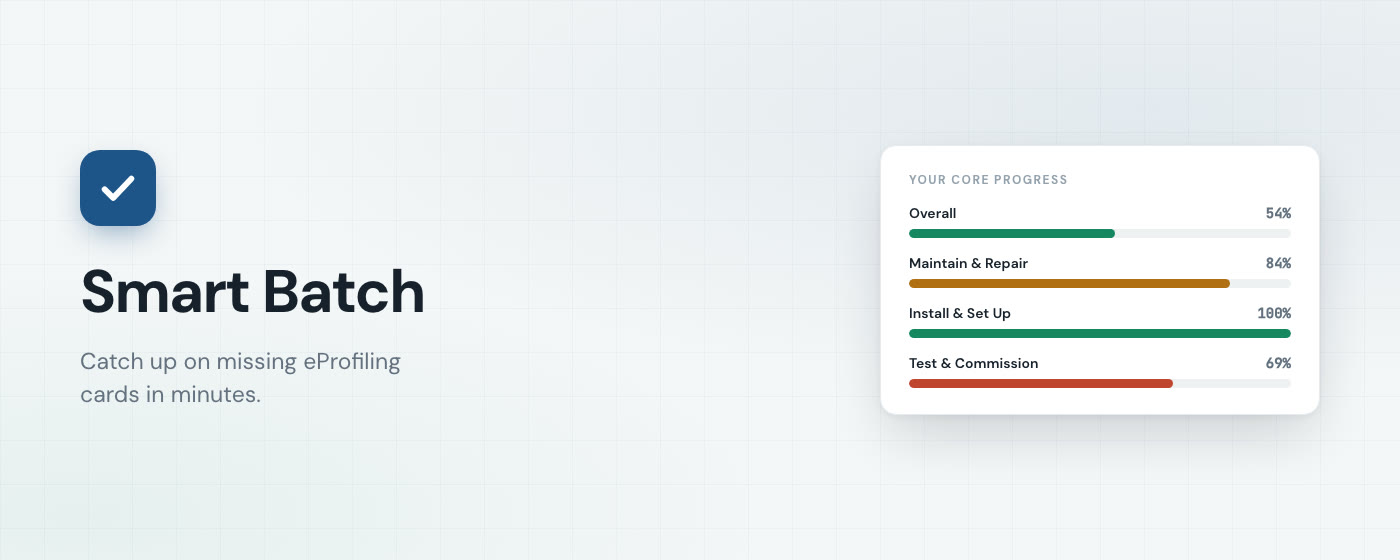
Smart Batch
Weeks of eProfiling Cards, Filled in Minutes
// the problem
If you have ever opened eProfiling to find 40 or 50 cards sitting there waiting, this is for you.
eProfiling is the digital training record platform used across Australia by trade apprentices to log on-site competencies. It works, but every card is filled in one at a time through the same dozens of dropdowns. An hour a week of data entry that has nothing to do with your actual training.
// what it does
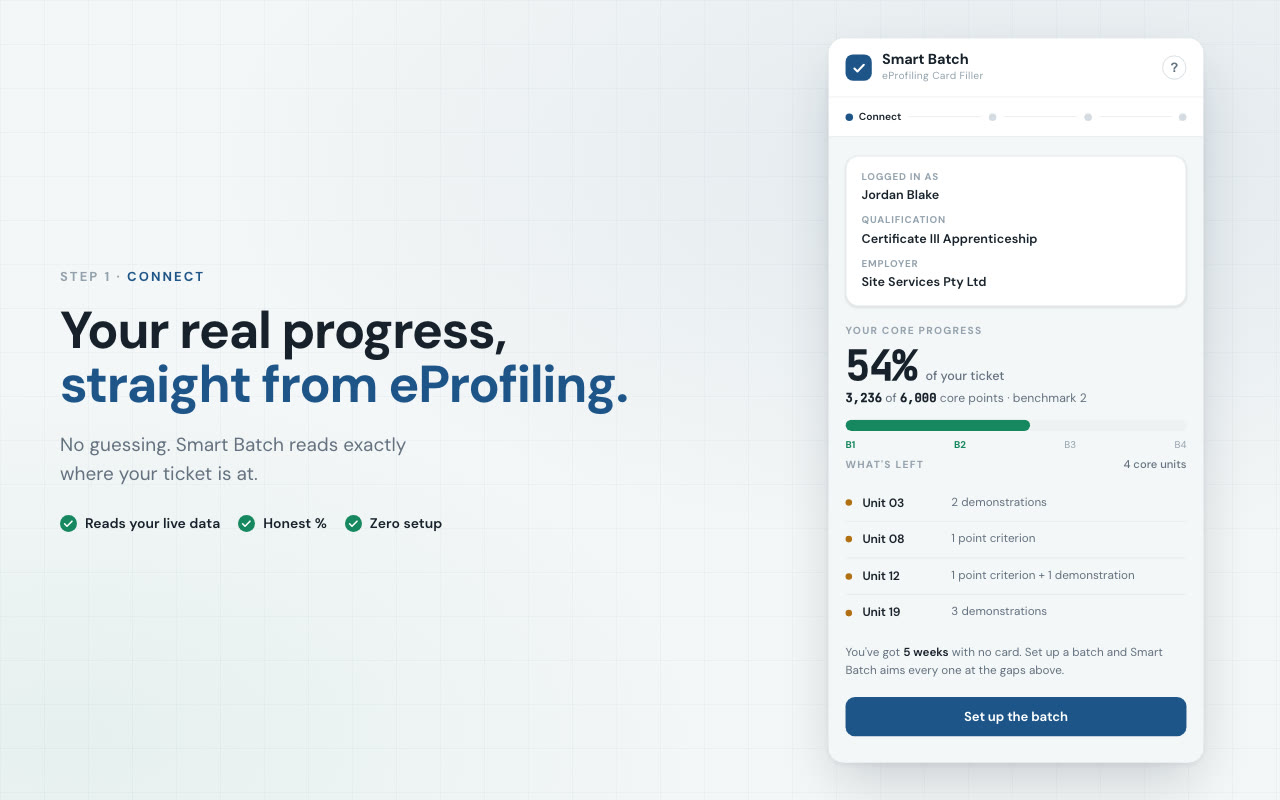
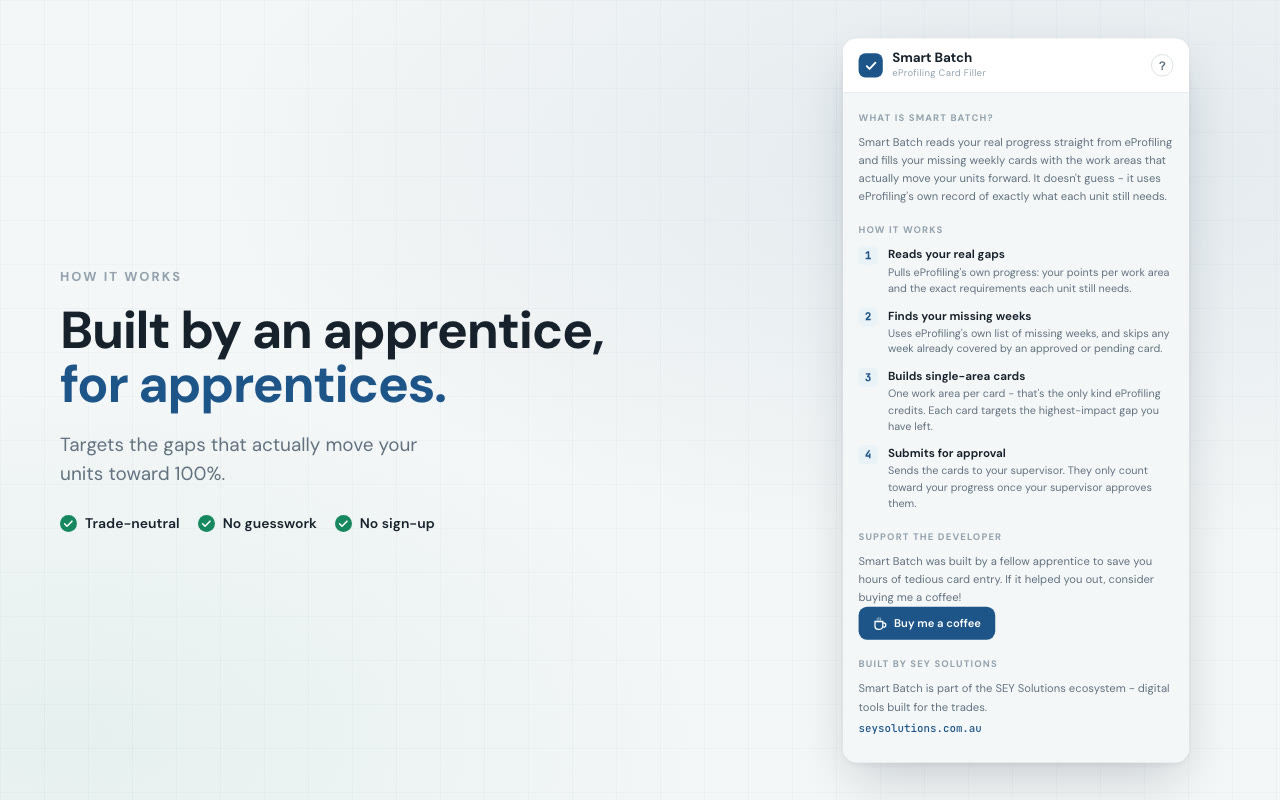
Smart Batch reads your real progress straight from eProfiling, works out which weeks you are missing, and fills each one with the work that actually moves your units toward finished.
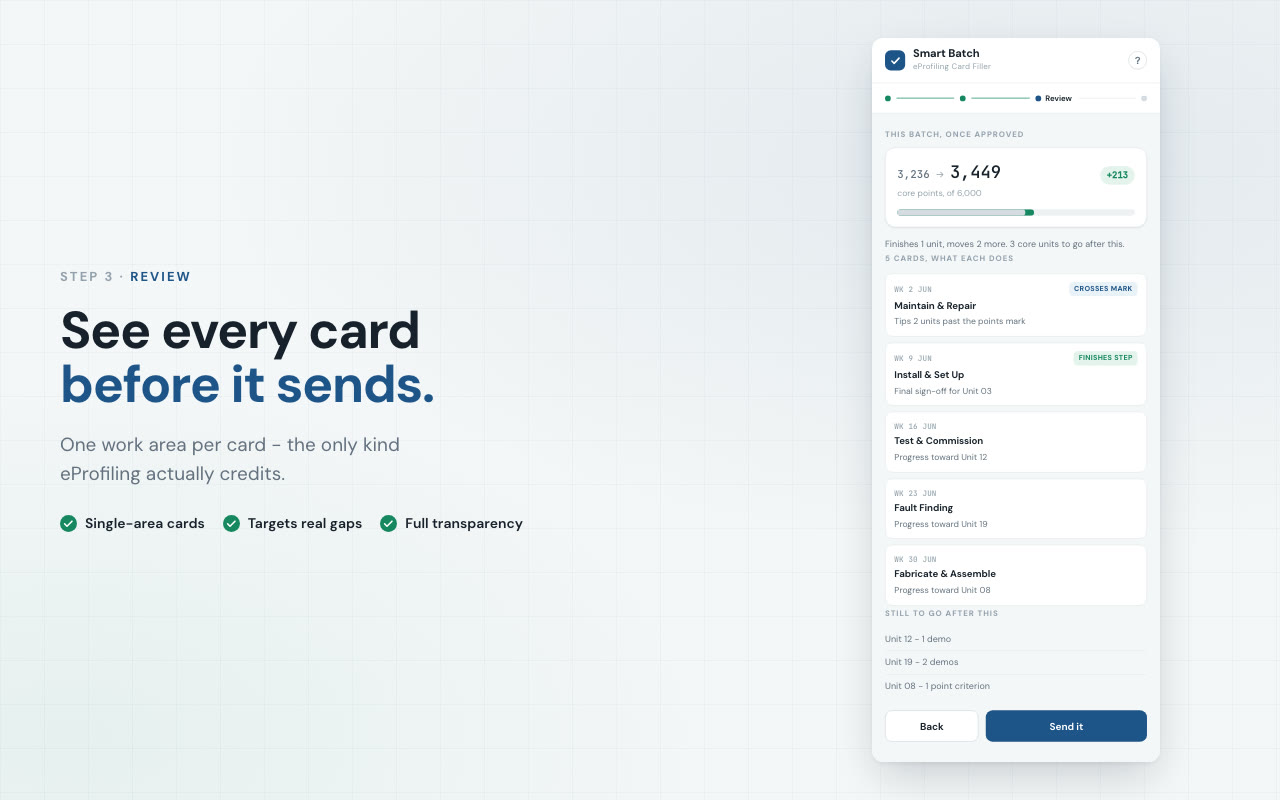
Each card gets up to three work-area lines, each aimed at a real gap. A unit that is only a few hours short gets just those hours, and the rest of the week goes to the next gap. Days off from your state's industry calendar go on the same card as Leave/Training, so every week still adds up.
It focuses on your core units, since that is what gets you your qualification, and it accounts for cards still waiting on approval so you never double up.
// how it works
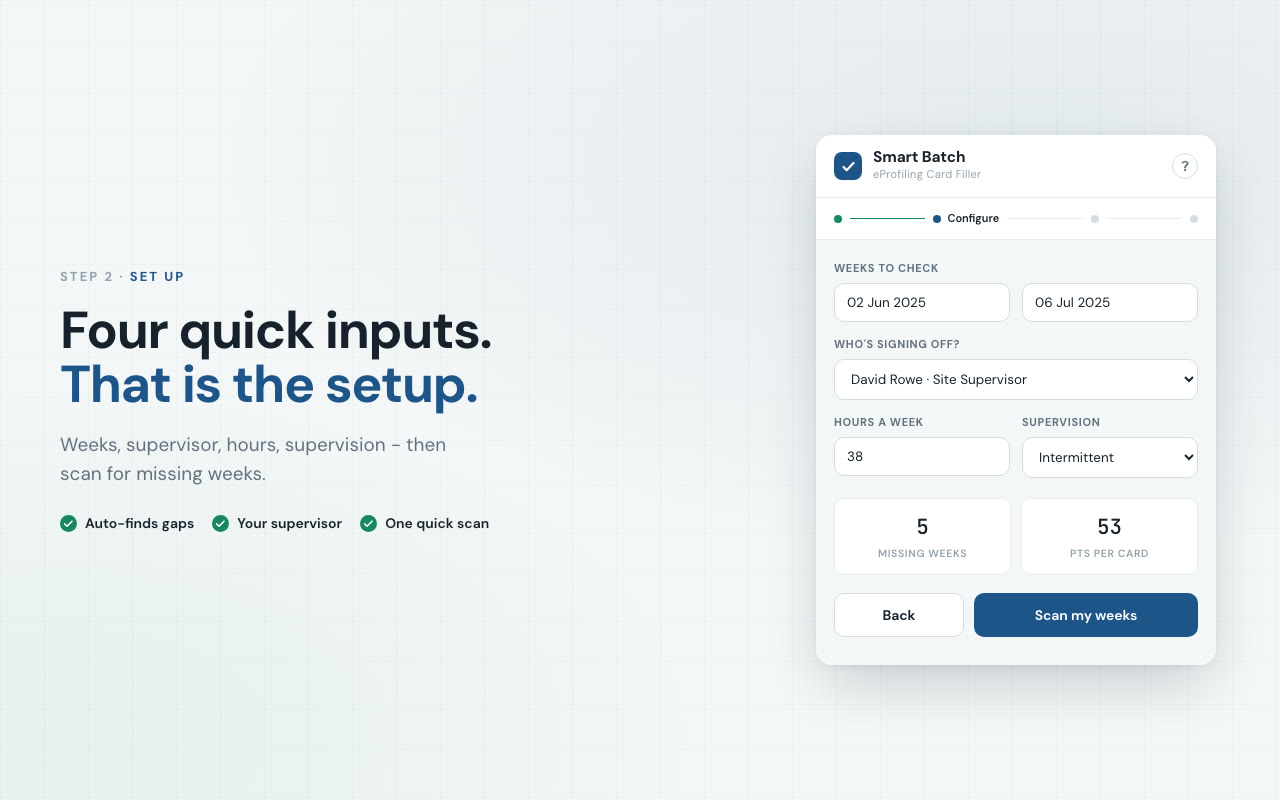
Open eProfiling and log in as normal, then click the Smart Batch icon. Pick your week range, who is signing off, your usual Monday to Friday hours and any weekend hours, your supervision level and your state, then tick which days off to apply: public holidays, RDOs, industry shutdowns.
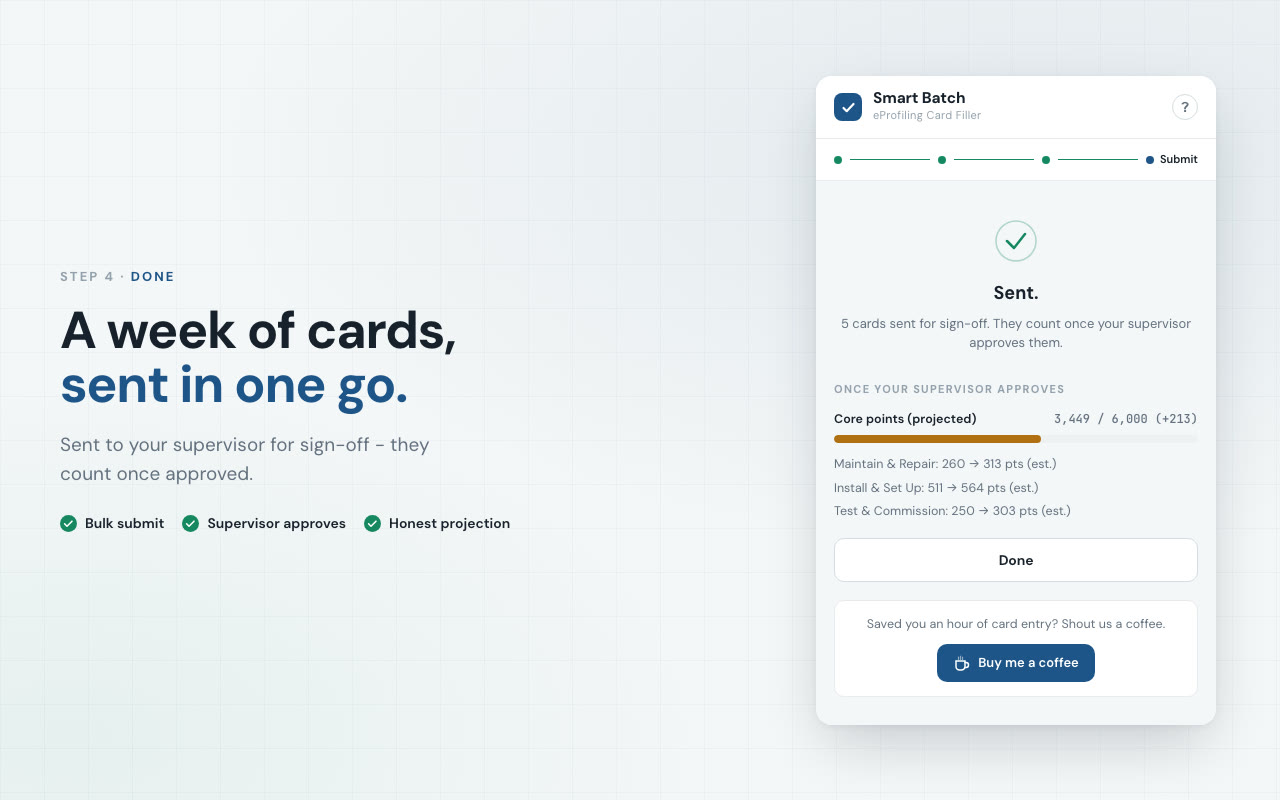
Check the hours for each week. Days off are already taken out, and anything you type under your normal week goes on the card as Leave/Training. Review the plan, see what each card targets and how much closer it gets you, then send. The cards go to your supervisor for sign-off, same as always.
// how it picks
Smart Batch never guesses. It uses eProfiling's own record of what each unit still needs, because eProfiling credits each line on a card on its own. A week that is fully off, an industry shutdown for example, becomes a Leave/Training card. It only ever fills weeks you are genuinely missing, so the card count always matches your real gaps.
Nothing is sent until you have seen the plan and your before and after progress. Your supervisor still approves every card.
// who it is for
Australian apprentices using the eProfiling system. Because it reads your own qualification straight from eProfiling, it is not locked to one trade. It was built and proven on the electrical certificate, with more trades being verified.
Smart Batch is an independent tool and is not affiliated with, endorsed by, or connected to the eProfiling platform or its developers.
// core features
// screenshots
// frequently asked questions
What is eProfiling?+
eProfiling is the Exemplar Group digital training record platform used across Australia by trade apprentices to log on-site competencies as they work toward their licence or qualification. Apprentices submit cards documenting work they've completed, which are signed off by their host employer or assessor.
Is Smart Batch free?+
Yes. Smart Batch is published on the Chrome Web Store and is completely free. There are no in-app purchases, no premium tier, and no ads.
Does Smart Batch work with the Exemplar eProfiling website?+
Yes. Install the extension, navigate to the Exemplar eProfiling site, log in as you normally would, and Smart Batch is ready to use. Because it reads your own qualification straight from eProfiling it is not locked to one trade, though it was built and proven on the electrical certificate, with more trades being verified.
Is my eProfiling login data safe with Smart Batch?+
Smart Batch never sees your password. It runs entirely in your browser using the existing logged-in eProfiling session, the same way Exemplar's own pages do, and your eProfiling data stays between your browser and the eProfiling servers. The one outbound request is to dataquoll.io, run by the developer, to fetch the days-off calendar: it receives only your chosen state and a date range, never personal details or anything from your account. No analytics, no tracking, no ads. The full privacy policy is at /projects/exemplar-bulk-uploader/privacy-policy/.
How much time does Smart Batch save?+
Apprentices report saving roughly an hour per week. What used to take hours of repetitive clicking now takes seconds because Smart Batch generates and submits multiple cards in a single batch.
Who built Smart Batch?+
Smart Batch was built by Jack Dempsey, a 4th-year electrical apprentice at Nilsen Group based in Adelaide, South Australia. He built it because he was tired of manually filling in his own eProfiling cards.
// tech stack
// from the sey solutions ecosystem